Canva-Level Certificate Builder: Auto-Synced to DepEd Class Records with Zero Copy-Pasting
Stop spending your personal salary on Canva Pro subscriptions and late nights copy-pasting student names. Here is how Sigasig automates certificate issuance directly from your class record.
- The Card-Giving Day Scramble: Filipino teachers spend hours manually copying student names, GWAs, and award titles from Excel sheets into Canva, often paying for Canva Pro subscriptions out of their personal pocket.
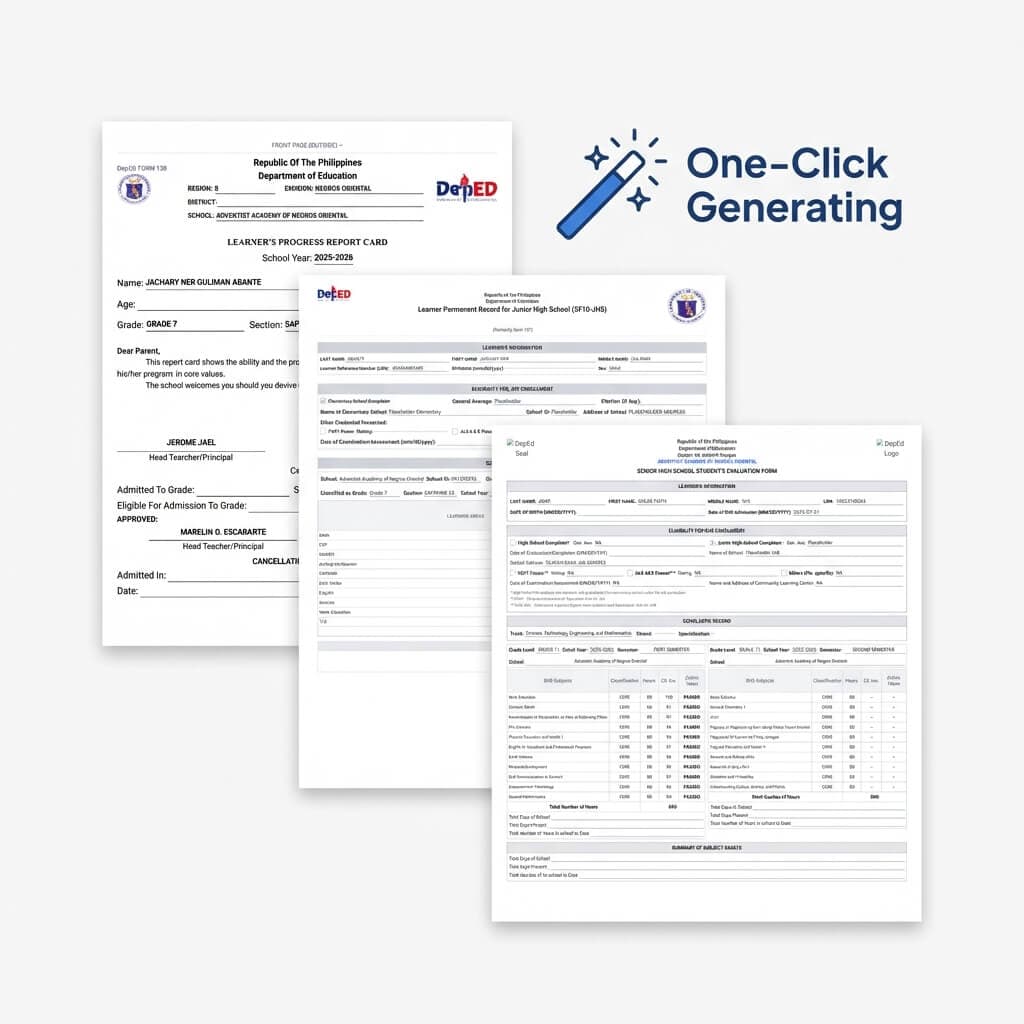
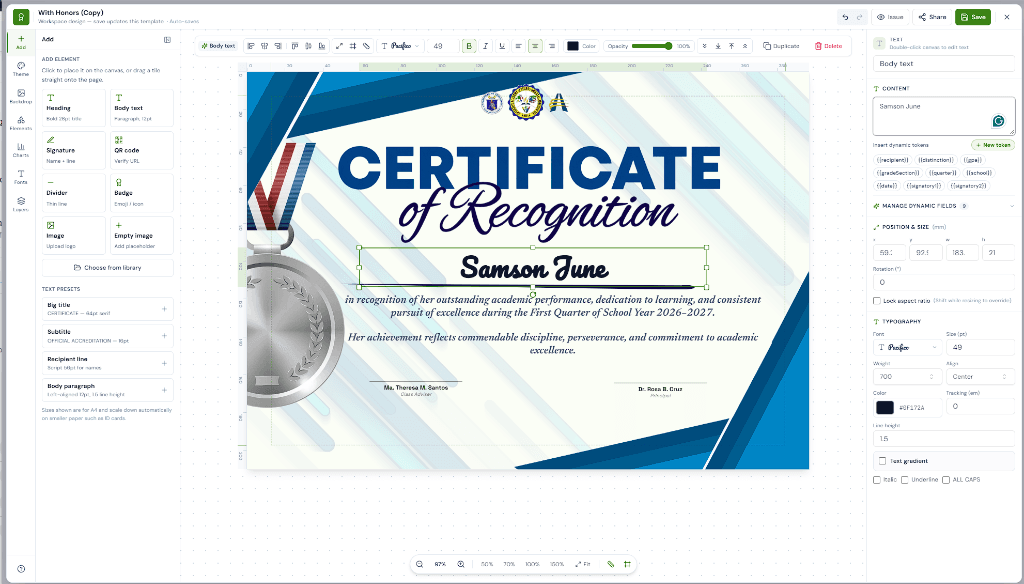
- Gradebook Auto-Sync: Sigasig introduces a full drag-and-drop certificate designer that reads directly from your DepEd Electronic Class Record (ECR). When quarterly grades finalize, qualifying students populate into certificates automatically.
- Zero Copy-Pasting: Smart auto-filled fields replace student names, general weighted averages, grade level, and section without any manual typing or formatting headaches.
- Dual DepEd Policy Support: Fully supports both the new inclusive DepEd Academic Awarding guidelines (removing tiered "With Honors" labels in favor of equal Academic Excellence recognition) and traditional DepEd Order No. 36, s. 2016 honors.
- 1-Click High-Res Batch Printing: Download print-ready, 300 DPI multi-page PDFs formatted for A4 or Letter specialty certificate paper, complete with scannable QR verification codes.
1. The Card-Giving Day Scramble (Why Canva Falls Short)
Every quarter and school year culmination in the Philippines brings the familiar panic of Card-Giving Day. Class advisers and subject teachers scramble to finalize grades, calculate general weighted averages, and prepare certificates for academic awardees.
For years, teachers have turned to Canva for its beautiful design tools. But Canva was never designed for classroom gradebooks. What should be a proud celebration of student achievement quickly turns into an administrative marathon:
- Out-of-Pocket Expenses: Teachers pay for monthly Canva Pro subscriptions from their personal salaries just to access clean frames, fonts, and unwatermarked downloads.
- The Copy-Paste Trap: Copying 45 student names from Excel, opening Canva, pasting them one by one, adjusting font sizes that overflow margins, and praying there are no spelling errors.
- Formatting Breakdowns: One longer student name wraps into two lines, breaking the alignment of the signature lines and forcing the teacher to restart.
- Manual Award Filtering: Manually reviewing who qualified for honors and calculating GWAs with a handheld calculator, risking human error.
2. Gradebook Auto-Sync: Design Freedom with Zero Re-Typing
Sigasig resolves this disconnect by merging Canva-level graphic design freedom directly with your class record. It is not an external tool or an export-import bridge—it is built right into your teacher dashboard.
Instead of typing names one by one, teachers simply use smart auto-filled fields on the certificate canvas:
- [Student Name]: Automatically pulls the learner's official enrolled name straight from your class record.
- [Academic Award]: Automatically inserts "Academic Excellence Award" or the qualified DO 36 distinction based on calculated grades.
- [General Average]: Prints the student's exact quarterly GWA (e.g., 94.25) without rounding errors.
- [Grade & Section]: Populates the student's current grade level, section, and grading period.
When you click "Generate Certificates", Sigasig loops through your entire section, generates an individual personalized certificate for every single qualifying student, and keeps all layout elements, margins, and signatures perfectly positioned.
"I used to spend my entire weekend before card distribution copying student names into Canva and checking if I made typos. With Sigasig, I finalized my quarterly grades, opened the Certificate Builder, and clicked print. All 42 certificates were done in under 30 seconds."— Teacher Christine, Grade 6 Adviser
3. Supporting Both DepEd Orders (New Guidelines vs. DO 36, s. 2016)
One of the biggest concerns among Filipino educators this school year is curriculum and policy alignment. DepEd has introduced updated guidelines on classroom assessment and learner recognition:
Inclusive Academic Awarding
Under the updated DepEd guidelines starting this school year, the tiered labels ("With Honors", "With High Honors", "With Highest Honors") are phased out to reduce unhealthy competition and foster an inclusive classroom environment.
Traditional Tiered Honors
For private schools, divisions, or grade levels still observing DepEd Order No. 36, s. 2016 during the transition period, Sigasig provides full automated calculation for all traditional tiers.
Teachers don't have to rebuild their templates or modify formulas. A single toggle switches between the New DepEd Directive and DO 36, s. 2016 instantly, automatically updating the certificate wording and qualification filters.
4. 1-Click 300 DPI Batch Printing & QR Code Verification
Once your certificates look exactly the way you want, preparing them for the printer is seamless:
- Batch Multi-Page PDF: Download all certificates for your class section in a single, high-resolution 300 DPI PDF file formatted for A4, Letter, or Long certificate parchment paper.
- Pre-Aligned Signature Blocks: Position Class Adviser and Principal signature lines with millimeter precision. Signatures will never slip off the page edge.
- Tamper-Proof QR Verification: Each generated certificate includes an optional unique QR code. Parents, transfer schools, and employers can scan the code with any smartphone camera to verify the authenticity of the award and grades directly on your school portal.
Start Issuing Certificates in Minutes
You don't need a separate subscription, graphic design background, or complex spreadsheet macros. Sigasig's Certificate Builder is 100% free for your classroom section and ready to turn your finalized grades into stunning, print-ready honors in clicks.