You Don't Need Another Teaching Platform. So Why Sigasig?
Every teacher knows the exhaustion of another mandatory educational rollout. You already have Excel, Google Forms, and DepEd templates. Here is an honest explanation of why we built Sigasig—not because teachers need more software to manage, but because you deserve less unnecessary repetition in your work.
- The Central Question: If educators can already accomplish their work using Excel, ChatGPT, Google Forms, and DepEd templates, what meaningful value does Sigasig provide?
- The Real Challenge: The tools themselves are not broken—the workflow between them is fragmented. Teachers often spend valuable evening hours manually transferring the exact same student information between separate documents.
- Our Foundational Rule: Enter information once. Use it responsibly wherever it is needed across official records, with appropriate teacher verification.
- Designed for Classroom Realities: Support for offline score recording on Windows desktop, policy-aligned calculations, and local data protection during power or connection interruptions.
- Preserving Teacher Authority: Automation assists with routine calculations and initial drafting; the teacher retains full authority over grading, evaluation, and classroom decisions.
- Our Continuing Commitment: Helping teachers one school at a time. We measure success by whether our tools genuinely make an educator's responsibilities more manageable.
You Don't Need Sigasig to Be a Good Teacher
Let us begin with an admission that software developers rarely make: you do not need Sigasig Online to run an inspiring, rigorous, and caring classroom.
Filipino educators have been guiding learners, nurturing curiosity, and producing remarkable leaders for generations without us. They have done it using chalkboards, printed worksheets, carefully kept notebooks, and ballpoint pens.
Even in today's digital environment, you already have access to capable tools:
- You can open Microsoft Excel and build an intricate workbook that computes your quarterly grades.
- You can use ChatGPT to suggest lesson discussion prompts or draft practice quiz items.
- You can use Google Forms to collect responses from learners with internet access.
- You can download official DepEd-provided templates to compile Electronic Class Records and submit school forms.
If you can already accomplish your work with the software sitting on your computer right now, any thoughtful educator has the right to ask an honest question:
“Why did you build another teaching platform? And why would I want one?”
It is a reasonable question, and it deserves a straightforward answer.
We did not build Sigasig because we think teachers are incapable of managing their work. We built it because the administrative workflows surrounding teaching have become far more repetitive than they need to be.
1. Teaching Is More Than What Happens Inside the Classroom
When people outside education picture a teacher, they imagine the visible part: standing at the front of a room, explaining a concept, guiding group work, counseling a student, or leading an extracurricular club.
What is less visible is the substantial administrative work that happens before and after instruction.
While schedules and section assignments vary across schools and grade levels, many secondary teachers handle several sections of forty or more learners. When examination periods arrive, the workload multiplies:
- You check student outputs item by item across your sections.
- You encode scores, student by student, into a subject gradebook.
- You track absences, arrange special exams for excused students, and identify learners who need remediation.
- You calculate weighted percentage scores across DepEd components: Written Works, Performance Tasks, and Quarterly Assessments.
- You apply official transmutation tables under DepEd Order No. 8, s. 2015—or, if teaching MAPEH, adjust to the two-component restructuring under DepEd Order No. 15, s. 2026.
- You tally monthly attendance to calculate Average Daily Attendance (ADA) for School Form 2 (SF2).
- If you serve as Class Adviser, you gather grades from fellow subject teachers, consolidate them into a master sheet, check for missing entries, and prepare School Form 9 (SF9 Progress Report Cards) before card-giving day.
These administrative tasks have legitimate educational value. Keeping accurate records helps schools account for student progress. But when teachers must re-encode the same figures across multiple documents, the repetition adds unnecessary friction to an already demanding week.
That time could be spent preparing engaging lessons, mentoring struggling learners, or simply resting with family. Filipino educators carry this workload not from inefficiency, but because traditional tools require manual transfers between each step.
2. The Problem Was Never the Tools
It is common for technology companies to criticize existing software in order to promote their own. We have no desire to do that.
Microsoft Excel is an extraordinary piece of software. Over the last twenty-five years, Filipino teachers have shown remarkable resourcefulness with it—writing nested IF statements, building lookup formulas, and formatting conditional rules to compute DepEd transmutation tables. A teacher who has developed an effective Excel workflow deserves respect, not unsolicited criticism.
Similarly, ChatGPT is genuinely helpful for brainstorming examples and drafting assessment questions. Google Forms is reliable for gathering quiz responses. And official DepEd templates provide standardized formats that keep educational records consistent across divisions.
These tools are not the enemy. They solve real problems.
The challenge is that they operate in separate silos, and the teacher is often forced to act as the manual bridge between them.
Each step in that sequence works on its own. But moving between them requires downloading, converting, reformatting, and re-entering the exact same student information over and over again.
Teaching is already demanding work. When educators spend hours manually transferring data between disconnected files, repetitive administrative tasks add to existing pressures.
3. Why We Built Sigasig: Information Entered Once
Sigasig was developed around one straightforward principle:
The purpose of Sigasig is not simply to collect multiple tools on one website. It is to connect related workflows so that teachers do not have to repeat administrative effort:
- One Section Roster: When a section roster is created, those learners appear in daily attendance tracking, subject gradebooks, and report cards without re-typing.
- Assessments Support Grading: When you record assessment scores—whether from checked paper booklets or online submissions—they map directly to the appropriate DepEd component (Written Works or Performance Tasks).
- Automated, Verifiable Calculations: DepEd Order No. 8, s. 2015 weights and Appendix B transmutation tables calculate dynamically. For MAPEH, teachers can toggle the DepEd Order No. 15, s. 2026 two-component framework when applicable.
- Smoother Adviser Consolidation: When subject teachers finalize quarterly marks, verified grades flow into the Class Adviser's master consolidation sheet—reducing the need to manually copy columns between separate spreadsheets.
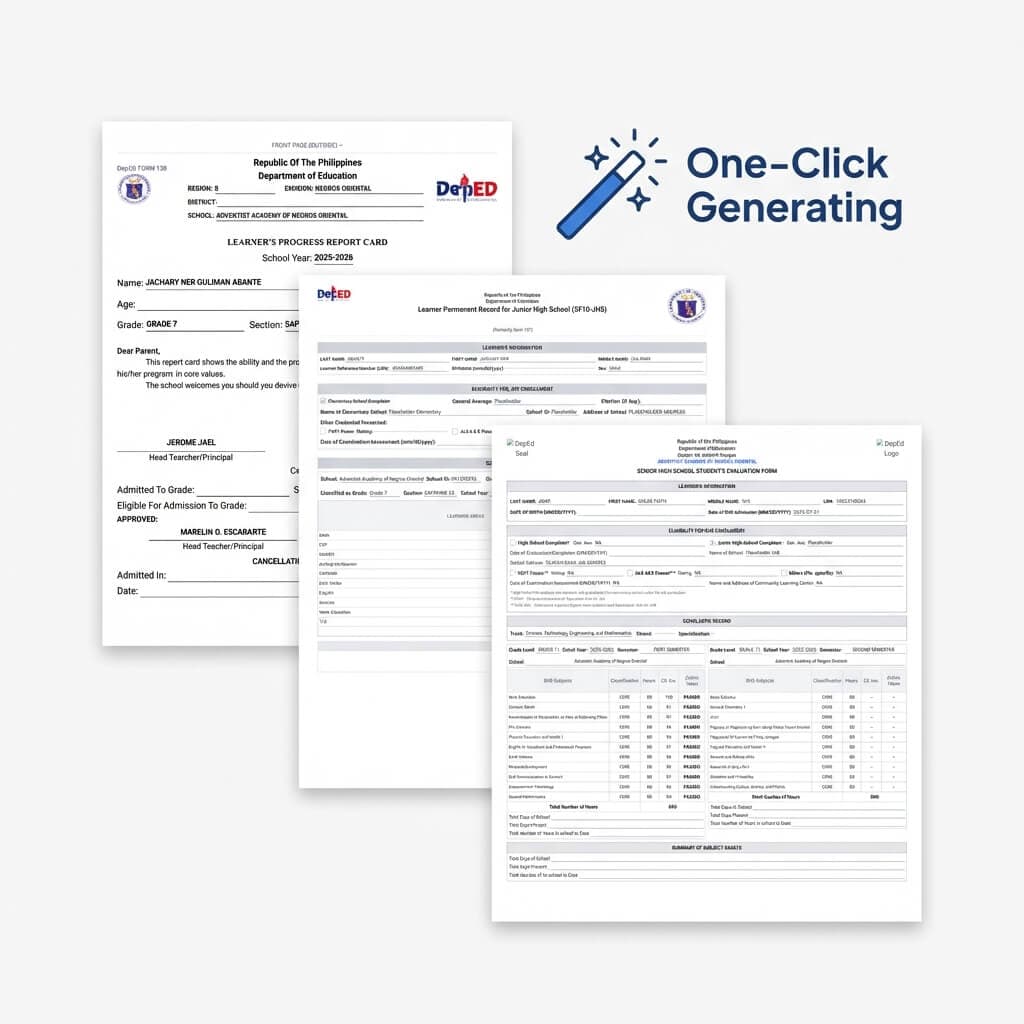
- Standard Document Preparation: School Form 9 (SF9 Progress Report Cards) populate from verified class records, formatted for printing.
- Integrated Certificate Preparation: When quarterly honors are confirmed, learner names and awards populate directly into customizable certificate templates—eliminating manual re-typing and misspelled names.
You retain full review and approval over every score, weight, and record. But the routine data transfer connecting those tasks is handled for you.
4. What About Schools With Unreliable Internet?
Much modern educational software assumes continuous, high-speed internet. That assumption does not reflect the reality of many Philippine classrooms.
In many schools, faculty room Wi-Fi can become congested when many devices connect at once. Bad weather can cause power interruptions. Teachers working on mobile data may encounter connectivity dead spots.
A cloud-only gradebook that stalls or displays an error screen while a teacher is encoding grades creates stress rather than relief.
That is why we prioritize local, offline-capable workflows through Sigasig Desktop:
On Windows, teachers can record raw scores and perform supported grading tasks locally without an active internet connection. Data is saved directly to your local computer, helping protect your work during unexpected power or connection drops.
Designed for muscle memory: tap Enter to move down the roster, Tab to jump between activities, and Shift+Enter to move up—without waiting on browser network latency.
DepEd Order No. 8 and DO 15 percentage computations and raw score handling calculate locally on your machine. Teachers can record daily roll calls offline on supported devices.
For supported workflows, teachers can connect a mobile phone to their desktop app over a local Wi-Fi or hotspot connection to record attendance and scores without requiring external mobile data.
5. Technology Should Assist, Never Replace the Teacher
In much of the current technology landscape, artificial intelligence is marketed as a substitute for human labor. Some claims suggest algorithms will soon automate instruction or manage classrooms autonomously.
We disagree with that perspective.
Teaching is not an algorithm. It is a relational, human, and moral responsibility.
Software cannot notice that a quiet learner's sudden drop in performance reflects distress at home. An algorithm cannot share the quiet joy when a struggling student finally grasps a difficult concept. Technology cannot provide genuine empathy, mentorship, or ethical guidance.
In Sigasig, technology is designed to assist with routine clerical tasks, never to replace professional judgment:
- AI is a drafting aid, not an educational authority: When using our assessment tools, AI proposes initial questions aligned with cognitive domains. You review, edit, and approve every question before learners see it.
- Automated checking is limited to objective items: Multiple-choice and objective items can be scored automatically. Essays, subjective responses, and performance tasks are evaluated by the teacher.
- Calculations are transparent and modifiable: Grading computations follow established guidelines, and you retain complete discretion to override, adjust, or correct any mark at any time.
Software should carry routine arithmetic so you can focus on your learners.
6. Do All Teachers Need Sigasig?
Let us answer this candidly:
No.
If you have developed an Excel workbook or physical notebook system that runs smoothly, saves you time, and gives you peace of mind, you do not need to switch to Sigasig. Keep using what works well for you.
If you prefer keeping physical class records in a traditional gradebook because that workflow suits how you think and teach, that preference is entirely valid and worthy of respect.
We do not believe in forcing every educator into a single digital mold, and we do not advocate for top-down software mandates that treat teachers as passive users.
Sigasig is designed for educators and schools that find themselves spending substantial time manually transferring scores, consolidating advisory grades across multiple subject sheets, or re-typing names into certificates and school forms.
If that describes a frustration you experience, Sigasig was built to make that work easier. If it does not, you are still warmly welcome here, and we respect the work you do.
7. Our Promise to Teachers
Our mission remains:
Sigasig is an ongoing responsibility. We know our software is evolving, and we recognize that every school operates within its own unique context, subject requirements, and institutional traditions.
We are committed to listening to educators and learning from their day-to-day classroom experiences. We evaluate our development against a straightforward internal standard:
“Does this feature genuinely make a teacher’s work easier?”
If a proposed feature adds complexity without giving time back, we reconsider it. If an interface creates confusion, we work to simplify it.
Our goal is not to build the largest platform. Our goal is to build tools that respect your time, support your judgment, and honor the dignity of teaching.
An Open Invitation
You do not need to commit your entire school to explore Sigasig. You can try individual features at your own pace.
Explore our offline Windows gradebook, see how policy-aligned calculations compute, or view our school form workflows to see whether they offer practical value for your routine.
We also invite you to read The Sigasig Manifesto to learn more about the principles and public commitments that guide our work.
Explore What We Stand For
Read our core beliefs, public promises, and internal product compass in The Sigasig Manifesto.
Helping teachers one school at a time.