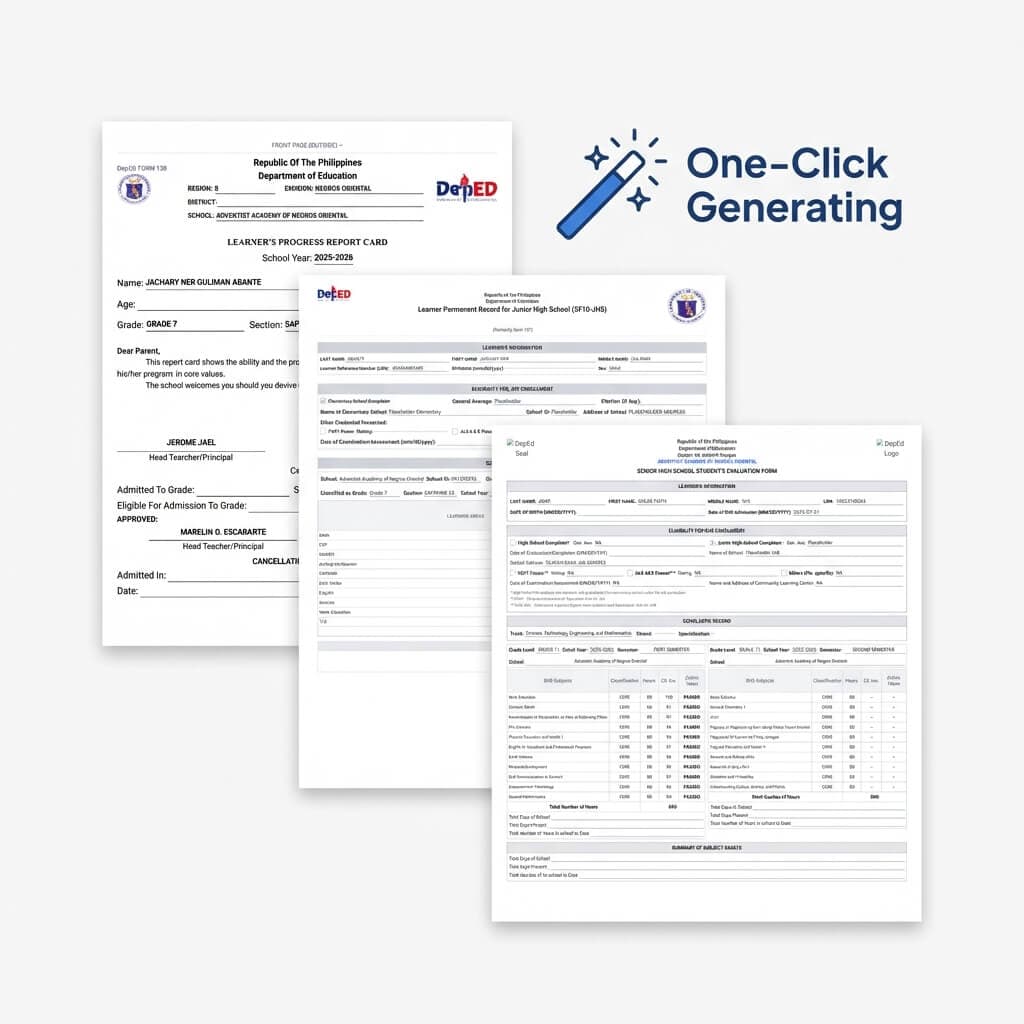
Introducing Sigasig Desktop: The Offline-First DepEd Gradebook & Automated ECR for Windows
Say goodbye to lost grades and frozen browser tabs during classroom Wi-Fi outages. Sigasig Desktop brings lightning-fast keyboard raw score entry, encrypted offline vaults, automated DO 8 & DO 15 transmutations, offline attendance roll calls, and local phone-to-PC sync to every Windows PC.
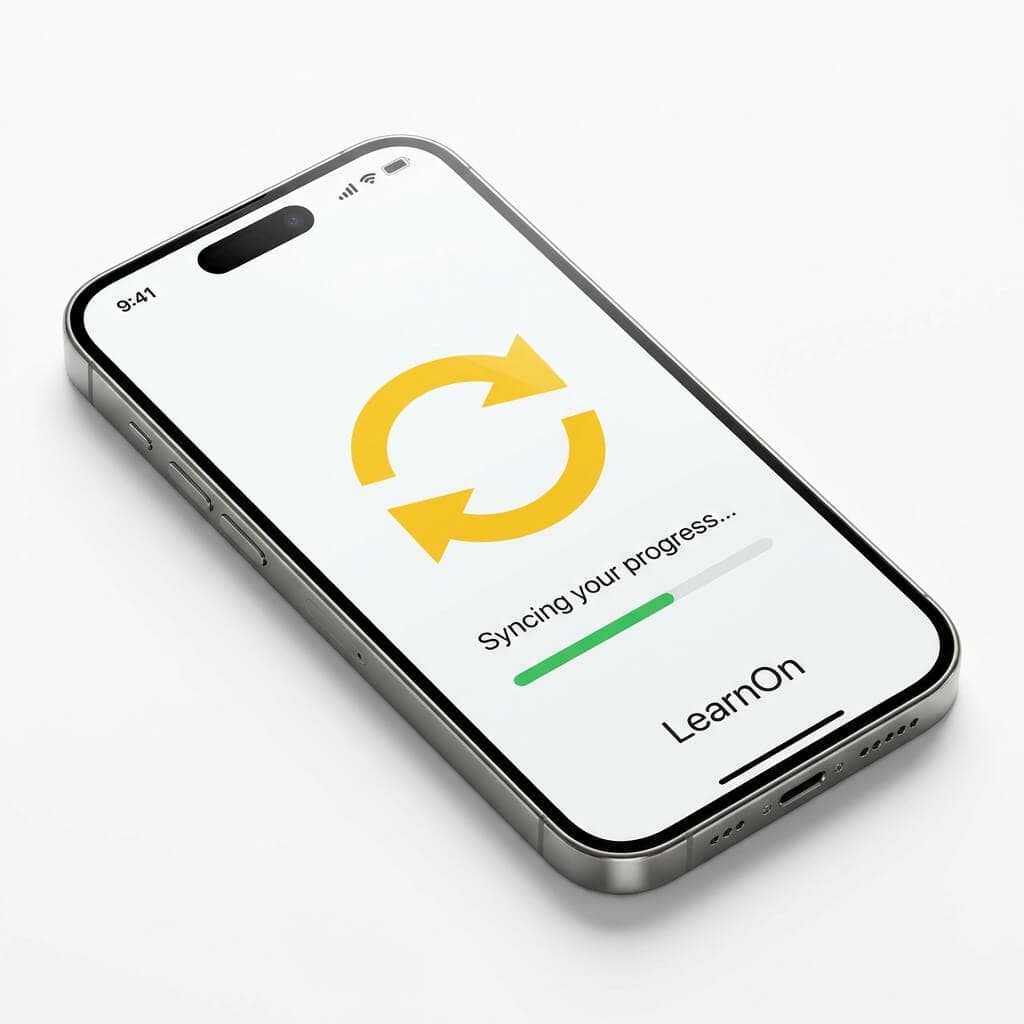
- What is Sigasig Desktop: A dedicated, offline-first Windows gradebook and classroom application built specifically for Filipino public and private school teachers.
- 100% Offline-First Architecture: Scores, attendance marks, and learner records save instantly to a local hardware-encrypted vault on your computer. Internet is completely optional while encoding.
- Rapid Keyboard Scoring: Built for muscle memory—navigate through student rosters using
Enter,Tab, andShift+Enterwith zero browser lag or page refreshes. - Official DepEd Transmutation: Dynamically applies DepEd Order No. 8, s. 2015 weights and Appendix B tables, with a 1-click toggle for the new DepEd Order No. 15, s. 2026 MAPEH 2-component restructuring.
- Advisory Desk & Instant Documents: Class advisers can preview SF9 Report Cards (Form 138), SF10 permanent records, and batch-print official Grade Slips on A4 portrait directly from the app.
- Local Sync (Phone-to-PC): Pair an Android or iOS phone with your laptop over a mobile hotspot to take classroom attendance on the move—no active internet required.
- Safe Cloud Synchronization: When connectivity returns, changes sync in atomic background batches with Compare-And-Swap (CAS) conflict protection, guaranteeing no lost inputs or accidental overwrites.
1. The Philippine Classroom Reality: Why Cloud-Only Gradebooks Fail
Every educator in the Philippines has experienced the acute heartbreak of a connectivity failure during grade encoding week. You sit down after classes with a stack of 55 periodical exam booklets. You open a browser tab, log in to a web portal, and begin typing raw scores.
Forty-five minutes later, just as you finish encoding the final learner in Section Molave, the campus Wi-Fi hiccups. A sudden afternoon thunderstorm triggers a brownout. When power flickers back on, your browser tab reloads with a bleak "ERR_INTERNET_DISCONNECTED" screen—and every single score you entered has vanished.
To escape this trap, many teachers resort to downloaded Microsoft Excel templates. But Excel brings its own nightmare: corrupt macro formulas, inadvertent column shifts when new transferees are enrolled, accidental formula overwrites, and the notorious "flash drive virus carousel" where teachers pass USB drives around faculty rooms to consolidate quarterly grades, infecting laptops and corrupting spreadsheets along the way.
We built Sigasig Desktop to permanently eliminate this anxiety. It gives Filipino educators the speed, permanence, and reliability of a native desktop application, combined with the power of modern cloud workspaces.
2. What is Sigasig Desktop? Architecture & Offline-First Philosophy
Sigasig Desktop is a standalone Windows application engineered from the ground up on an offline-first contract. Unlike web apps that treat the internet as a continuous dependency, Sigasig Desktop treats the internet as an occasional convenience.
Encrypted Local Vault
Learner records, rosters, and scores reside in a hardware-bound, encrypted SQLite database on your computer. Keystrokes commit in sub-milliseconds.
7-Day Cryptographic Lease
A cryptographically signed Ed25519 offline grant authorizes your machine for up to 7 consecutive days of offline operation, automatically renewed whenever online.
Zero Cloud Dependency
The app launches, unlocks with your password, calculates DepEd transmutations, and prints documents even when your router is powered down.
In strict compliance with Republic Act No. 10173 (Data Privacy Act of 2012), student demographics, Learner Reference Numbers (LRN), and quarterly marks stored on the device are protected by multi-layer cryptographic safeguards. If a laptop is left unattended in a faculty room, the gradebook automatically locks, requiring your password to open.
3. Feature Comparison: Web LMS vs. Traditional Excel vs. Sigasig Desktop
Here is an objective breakdown of how Sigasig Desktop compares against traditional options used in Philippine schools:
| Feature / Capability | Cloud-Only Web Portals | Traditional Excel Files | Sigasig Desktop |
|---|---|---|---|
| Grading Without Internet | ❌ Freezes / Data Lost | ✅ Supported | ✅ 100% Native Offline Vault |
| Raw Score Input Speed | Slow (Network Latency) | Fast | ⚡ Instant (Sub-millisecond) |
| Formula Corruption Protection | ✅ Server-calculated | ❌ High risk of formula break | ✅ Guaranteed Math Engine |
| DepEd Order 15 MAPEH Switch | Varies / Manual | ❌ Requires new spreadsheet | ✅ 1-Click DO 8 / DO 15 Toggle |
| Advisory Faculty Consolidation | Manual Refresh | ❌ USB Flash Drive Carousel | ✅ Automated Auto-Sync |
| Daily SF2 Attendance | Needs Connection | Manual Monthly Formulas | ✅ Offline Roll + Auto ADA |
| Phone-to-Laptop Local Sync | ❌ Unavailable | ❌ Unavailable | ✅ P2P Hotspot QR Pairing |
| Batch Grade Slip Printing | Requires Export | Tedious Mail Merge | ✅ 1-Click A4 Batch Print |
4. Turbocharged Keyboard Scoring: Encode 50 Students in 3 Minutes
Filipino teachers handle heavy teaching loads—often 5 to 6 sections comprising 40 to 60 learners each. Using a mouse to click into individual spreadsheet cells across 250 students turns a simple quiz encoding task into hours of wrist strain.
Sigasig Desktop is designed for pure numeric keypad muscle memory. When your cursor enters a score cell, the entire number is automatically highlighted:
Score Validation & Highest Possible Score (HPS): The application automatically validates every entry against the activity's Highest Possible Score. If an activity is out of 25 points and you accidentally type "255", Sigasig prevents invalid entries and flags the error before it can corrupt your section summary.
Background Queue Flushing: Rather than sending an individual network request for each student (which causes web browsers to lag and stutter), Sigasig Desktop writes immediately to local RAM and disk, then flushes pending changes in atomic batches 1.5 seconds after you pause typing. You can encode at 120 words per minute without a millisecond of lag.
5. Real-Time DepEd Transmutation: DO 8, s. 2015 & DO 15, s. 2026
Calculating Philippine grades requires rigorous compliance with Department of Education orders. Raw percentages must be transmuted into official report card ratings using the non-linear DepEd Appendix B Transmutation Table. For the policy background, read our complete guide to the DepEd Order 15 MAPEH restructuring and our walkthrough of how Sigasig automates MAPEH grading.
In Sigasig Desktop, transmutation happens live on your local machine with zero lag:
Classroom Assessment Standards
Pre-programmed weighting tables for every learning area across Elementary, Junior High School (JHS), and Senior High School (SHS):
- Languages (English, Filipino), Math & AP: 40% Written Works (WW), 40% Performance Tasks (PT), 20% Quarterly Assessment (QA).
- Sciences: 50% Written Works, 30% Performance Tasks, 20% Quarterly Assessment.
- MAPEH, EPP & TLE: 20% Written Works, 60% Performance Tasks, 20% Quarterly Assessment.
- SHS Tracks: Core subjects, Academic Track specializations, TVL, and Immersion weights locked to DepEd standards.
New MAPEH Restructuring Engine
Under the MATATAG curriculum reforms, MAPEH transitions from 4 separate sub-disciplines into 2 combined learning areas: Music & Arts (MA) and Physical Education & Health (PEH).
In Sigasig Desktop, school administrators and teachers can toggle between the 4-component DO 8 framework and the 2-component DO 15 framework with one click. When toggled to DO 15, the app automatically applies the revised 50/50 composite average and the updated transmutation scale—preventing common spreadsheet errors where raw score 82 is mistakenly transmuted to 88 instead of the official 84.
6. Offline Daily Attendance & DepEd SF2 Compliance
Attendance recording is mandatory every school day under DepEd Order No. 4, s. 2014 and DO 11, s. 2018. Class advisers must track presence, tardiness, and cutting classes across monthly reporting periods. New to the form? Start with our DepEd SF2 Daily Attendance guide for the official codes and formulas.
With Sigasig Desktop, taking roll call requires no connection:
- Standard Recording Codes: Blank indicates Present; capital "X" marks Absent; upper/lower diagonal markings track Tardy and Cutting Classes.
- Bulk Attendance Marking: One click marks all learners present, letting you quickly punch in only the 2 or 3 absentees in seconds.
- Instant ADA & Percentage Math: Total Daily Attendance, Average Daily Attendance (ADA), and Percentage of Attendance for the Month compute dynamically in the background according to DepEd Division formulas.
- 5-Day SARDO Early Warning: If a student accumulates 5 consecutive unexcused absences, Sigasig triggers an immediate alert on the desktop dashboard—enabling timely home visitation or parent coordination before the student drops out.
7. The Advisory Desk: Instant Grade Slips, SF9, & SF10
For Class Advisers, the hardest week of the school year is Card-Giving Week. Traditionally, advisers must hunt down 8 subject teachers, gather printed sheets or USB drives, and manually copy numbers into each student's Form 138.
In Sigasig Desktop, the Advisory Desk transforms this ordeal into a single click. It covers the report forms in our DepEd School Forms SF1 to SF9 guide, and works with the consolidation flow described in the School Workspace architecture guide:
SF9 Report Cards
Formatted for 13 × 8.5 inch landscape paper with quarterly marks, transmuted General Weighted Average (GWA), monthly SF2 attendance, and DepEd Core Values ratings.
1-Click Batch Grade Slips
Batch print standardized A4 portrait grade slips for your entire section in one print dialog, separated by male and female rosters with verified school letterhead.
SF10 Permanent Records
Inspect learners' cumulative academic history across grade levels formatted on 8.5 × 13 inch folio ready for Division Year-End Checking Committee inspection.
8. Local Sync: Pair Phones to Laptops Over Hotspot (No Internet!)
One of the most revolutionary innovations in Sigasig Desktop is Local Sync, which pairs with the phone-first workflow in our Pocket Class Record guide. Imagine you want to take roll call while walking down rows of student desks, or record performance task scores during a physical demonstration outside. Your laptop is at your desk, but the classroom has zero internet.
How Classroom Local Sync Works
- Enable Local Sync: Open
Settings › Local Syncin Sigasig Desktop on your laptop. - Connect Devices: Turn on your smartphone's Mobile Hotspot and connect your laptop to it, or connect both devices to the same classroom router. (No cellular mobile data or internet is required!)
- Scan QR Code: In the Sigasig mobile app, tap Scan Pairing Code and scan the desktop screen. The devices establish a cryptographically pinned local HTTPS handshake.
- Grade on the Move: Check attendance or enter quiz points on your phone. Every input transmits directly across the local Wi-Fi link into your laptop's encrypted vault.
- Auto-Upload: When your laptop connects to school or home Wi-Fi later, all records automatically sync to your school workspace.
9. Conflict-Free Background Cloud Sync (Compare-And-Swap)
A major fear with offline software is data collisions: what happens if you edit a score offline while your school registrar updates student details or another teacher adjusts a shared component on the web?
Sigasig Desktop utilizes an advanced Compare-And-Swap (CAS) atomic synchronization engine:
- Atomic State Verification: Whenever a score is uploaded, Sigasig verifies that the server-side record matches the version the desktop originally downloaded.
- Zero Silent Overwrites: If a conflicting change occurred online while you were offline, Sigasig Desktop never blindly clobbers the data.
- Teacher-in-the-Loop Authority: Conflicting scores are highlighted in red with an interactive decision banner. You can inspect both the local desktop value and the server value, deciding with one click which score to retain.
10. Installation & System Requirements for Windows 10 & 11
Getting started with Sigasig Desktop takes less than 2 minutes. Follow these simple steps:
Download the Windows Installer
Download Sigasig-Desktop-Setup.exe directly from the portal or install the certified package via the Microsoft Store. It is a lightweight per-user setup that requires no administrative privileges.
One-Time Online Sign-In
Launch the app and enter your Sigasig or School Workspace email and password. The app contacts the server, verifies your school credentials, and secures an Ed25519-signed offline grant.
Automatic Snapshot Download
In roughly 5 to 10 seconds, Sigasig downloads your active school year, enrolled classes, learner rosters, and current grading term records into your encrypted local vault.
Grade Freely Anywhere
Disconnect your Wi-Fi, head to your classroom or commute home, and punch in scores. When you reconnect to the internet, Sigasig silently flushes your work to the school workspace.
Minimum System Specifications
11. Frequently Asked Questions (FAQ) for Teachers & Principals
Q1: Can I use Sigasig Desktop completely offline without an internet connection?
Yes, absolutely. Sigasig Desktop is engineered as an offline-first application. Once signed in, your classes and student rosters are stored in a local hardware-encrypted vault. You can record raw scores, calculate DepEd transmutations, take daily SF2 attendance, and preview report cards without any internet connection. Everything syncs automatically when you go online.
Q2: How does Sigasig Desktop prevent grade loss during sudden brownouts or crashes?
Unlike web browsers that rely on memory buffers or periodic autosaves, Sigasig Desktop writes each score directly to an encrypted local database file on your hard drive immediately as you exit a cell. Even if your laptop battery abruptly dies or Windows restarts, your last entered score is safely preserved.
Q3: Does Sigasig Desktop support both DO 8, s. 2015 and the new DO 15, s. 2026 MAPEH restructuring?
Yes. Sigasig Desktop features a dynamic grading engine. For general subjects, it adheres to official DO 8, s. 2015 weights and Appendix B transmutation tables. For MAPEH, teachers can seamlessly toggle between the traditional 4-component framework (DO 8) and the new 2-component restructuring (Music & Arts, Physical Education & Health under DO 15, s. 2026) with automatic weighted transmutation recalculations.
Q4: How does Local Sync work between my phone and laptop without campus Wi-Fi?
Local Sync pairs your phone and Windows laptop over a personal hotspot or local classroom router using a secure QR code over pinned local HTTPS. No active internet or cellular mobile data is needed. You can take attendance or grade on your phone while walking around, and marks transfer directly into your desktop vault.
Q5: What happens if there is a conflict between offline scores and changes made on the web?
Sigasig Desktop uses Compare-And-Swap (CAS) atomic sync architecture. When your computer reconnects, each queued score is verified against the server's expected timestamp. If a conflict occurs, Sigasig flags the cell in red and gives the teacher full authority to inspect both values and choose which one to keep.
Q6: What are the minimum system requirements for installing Sigasig Desktop?
Sigasig Desktop runs on 64-bit Windows 10 (version 1809 or higher) and Windows 11. It requires at least 4 GB of RAM (8 GB recommended) and 200 MB of disk space. It installs via a one-click per-user setup with no administrative rights required.
Experience the Offline-First Power of Sigasig Desktop
Join teachers across the Philippines who have eliminated spreadsheet anxiety, reclaimed their weekends, and put DepEd grade transmutations on autopilot.